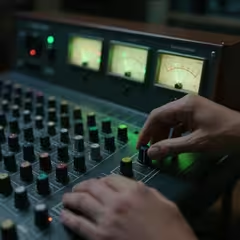
Submit your songs for sync licensing opportunities in film, TV, TV Advertising, trailers, and streaming media. We help independent songwriters prepare, package, and submit music through secure streaming pages for music supervisors.
Take your Songwriters Portal music catalog with you. Access your songs, opportunities, and account directly from your Andriod phone.
"Available to Professional and Elite members."
Scan the QR code below with your Android phone to install the app.
"We provide access to selected sync opportunities and submit qualifying songs to
music-supervisor catalogs. In addition, participating catalogs are made discoverable to
vetted supervisors through Disco."
You will upload your music along with all Metadata. This will include info from your PRO showing any royalty splits. Then, all moods, tags, genres, depending on which plan you choose. The Sync Professional plan and up includes AI generated Metadata. It also includes instrumental only generation of your songs. A real time saver.
We normally spend one-half hour per song insuring all Metadata and licensing information is correct. We check songs for abrupt endings (a no, no). Once all is well, your song(s) are submitted to our proprietary supervisor database for review.
All members receive their own secured portal. You can login and view the status of each song submitted. All members receive a professional artist catalog profile with every song upload or change. Your catalog is included in the Disco supervisor-discovery ecosystem, which is used by approximately 800 vetted music supervisors. It contains your BIO, submitted songs including instrumentals, and lyrics.
"Availability through the network does not mean every supervisor will view or listen to every catalog"
If you sign-up for the Pro or Elite plan, you don't have to enter all of the Metadata. We do that for you. We will also create an instrumental track for you if needed. Beginning with the release of our new portal V2.0, all songwriters that subscribe to the Pro or Elite plan will receive our new Android cell phone application that mirrors out web-based portal. Everything you do on the Android app is morrored to your web-based portal.
If you would like to read a very large article that we just finished on the use of AI generated material and what the U.S. Copyright office says about it, click HERE.
Supervisors don't have time for messy metadata. Songwriters Portal packages your music into secure, high-fidelity streaming pages that make licensing effortless. If you are a songwriter and want your music heard as the soundtrack on a TV program, TV Ad, Motion Picture, or commercial Gaming development.
Do you have more questions? Visit our KNOWLEDGEBASE.
100% Ownership retained.
"If your song is selected, you authorize the client to use it under the terrms
of the negotiated sync license."
0% - Songwriters Portal never takes a royalty split.
"A licensing client may request a royalty component as part of it's contract. We negotiate
on your behalf and strive to protect your interests."
Supervisor-ready submissions. Zero Royalty Splits.
682.498.3508
staff@songwritersportal.com